
Setting Up Stripe Connect for Payouts
Last updated: 2026-02-14
On This Page
Before you can earn money from reader subscriptions, you need to set up your payout account through Stripe Connect. This guide walks you through the entire process, which typically takes 5-10 minutes.
How Payments Work on Chapter Chronicles
Here's the payment flow:
- Readers subscribe to your membership tiers (e.g., $5/month, $10/month)
- Stripe processes the payment securely
- Chapter Chronicles takes a platform fee of 6% + a fixed per-transaction fee (set in your local currency)
- You receive the rest directly to your bank account on a schedule you choose
Your tiers are priced in your local currency based on your country.
Example (USD) — on a $10 subscription:
- Platform fee: $1.10 (6% + $0.50 fixed fee)
- You keep: $8.90
Step 1: Find the Payment Setup
There are two ways to get to the billing onboarding page:
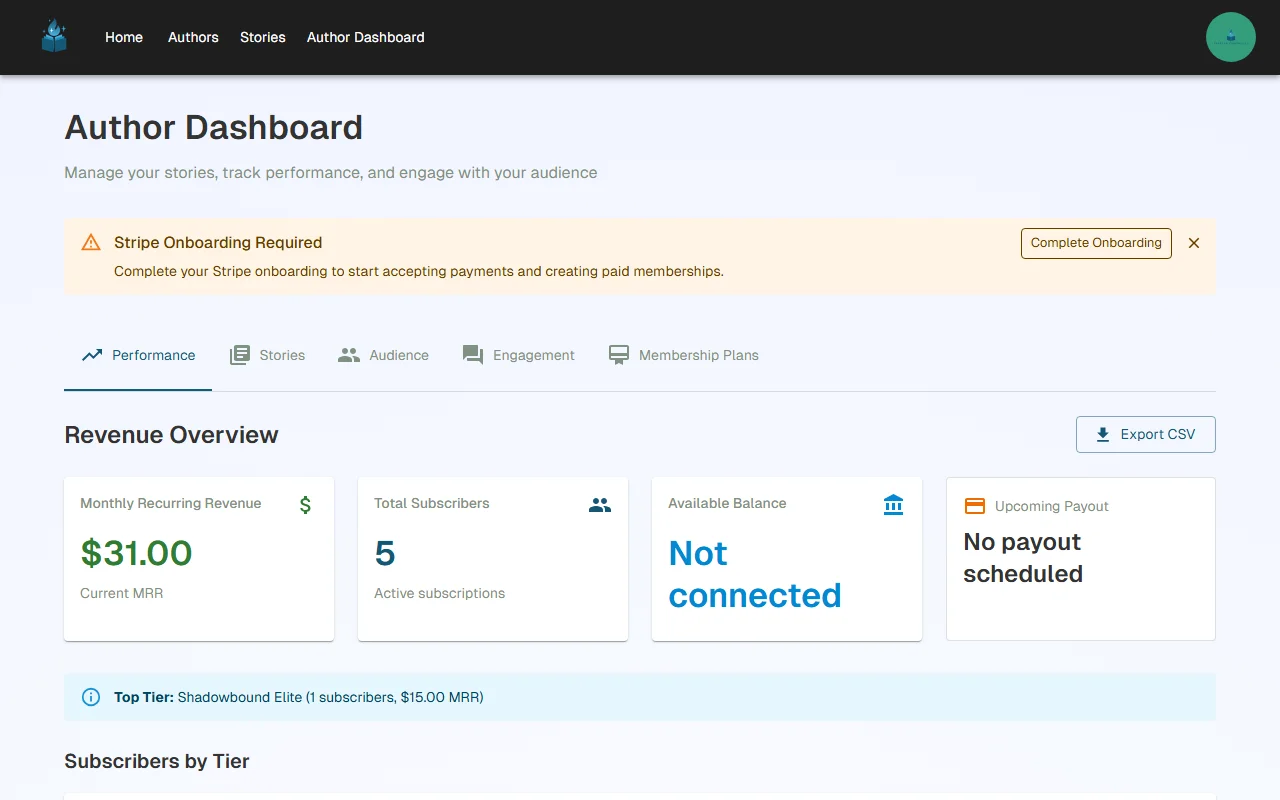
- From the dashboard banner — After creating your first story, you'll see a notification banner on your Author Dashboard prompting you to set up payment processing
- From account settings — Navigate to Account > Billing Onboarding directly
Step 2: Start Stripe Connect Setup
On the billing onboarding page, you'll see information about why Chapter Chronicles uses Stripe Connect:
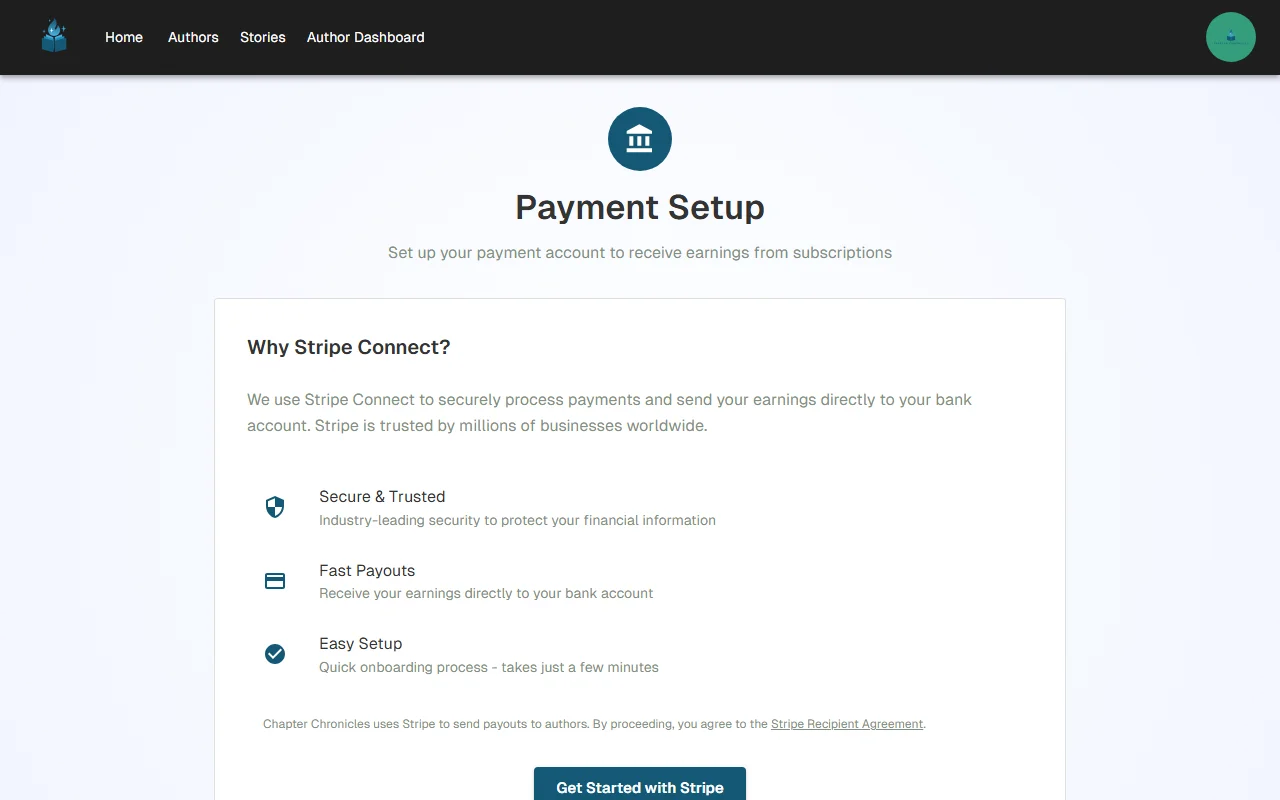
Why Stripe Connect?
- Secure & Trusted — Stripe processes billions of dollars annually for millions of businesses
- Fast Payouts — Funds are deposited directly to your bank account on your schedule
- Easy Setup — Complete verification in minutes, not days
Click "Get Started with Stripe" to begin the onboarding process.
Step 3: Complete Stripe Onboarding
After clicking "Get Started with Stripe," the onboarding form appears embedded directly in the page — you never leave Chapter Chronicles:
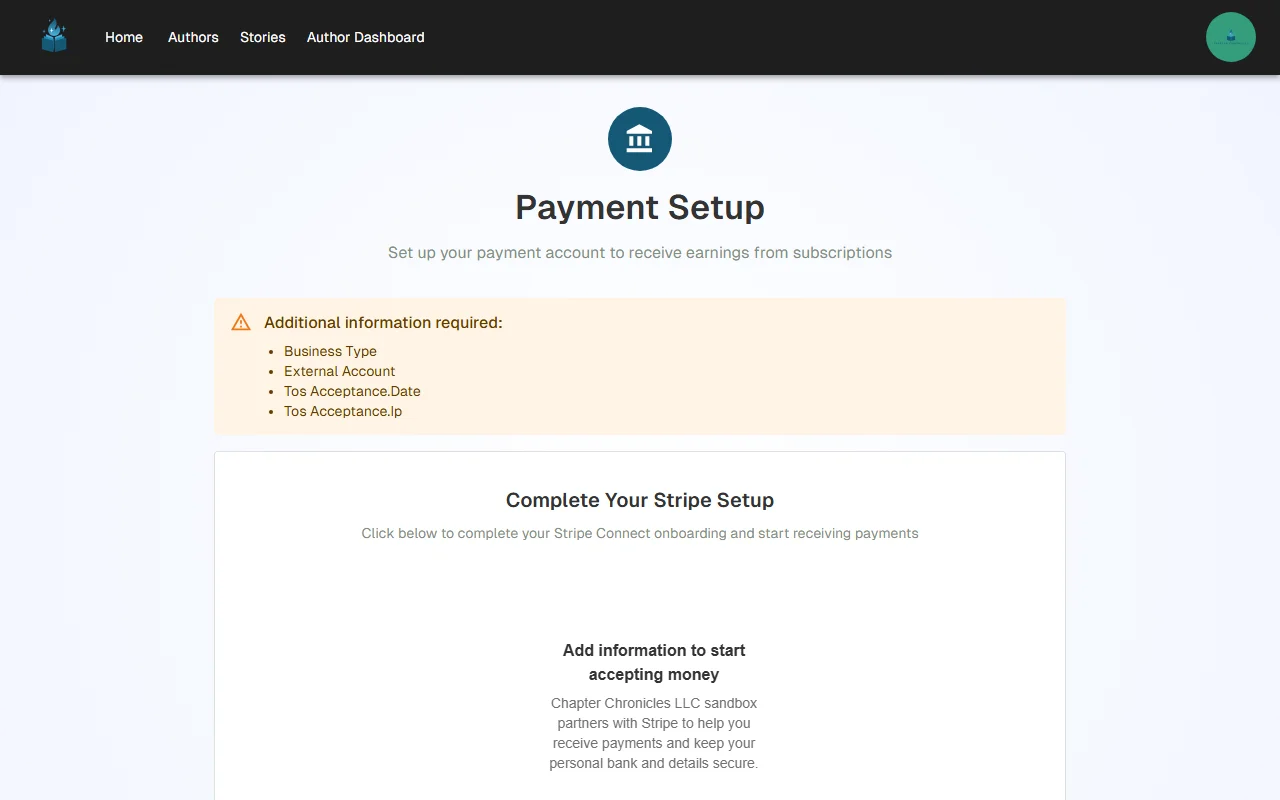
Stripe will walk you through a verification process. You'll need to provide:
- Personal information — Your legal name, date of birth, and address
- Business information — Whether you're an individual or a business entity
- Bank account or debit card — Where you want to receive payouts
- Identity verification — A government-issued photo ID (driver's license, passport, etc.)
- Tax information — Your tax ID or Social Security Number (for tax reporting)
Note: All sensitive information is handled directly by Stripe. Chapter Chronicles never sees or stores your banking details, tax information, or identity documents.
The entire process typically takes 5-10 minutes to complete.
Step 4: Verification & Activation
After submitting your information:
- Stripe verifies your identity — This usually happens within minutes, but can take up to 48 hours in some cases
- Charges become enabled — Once verified, your dashboard banner disappears and you can start receiving payments
- You'll receive a confirmation — Stripe sends an email confirming your account is active
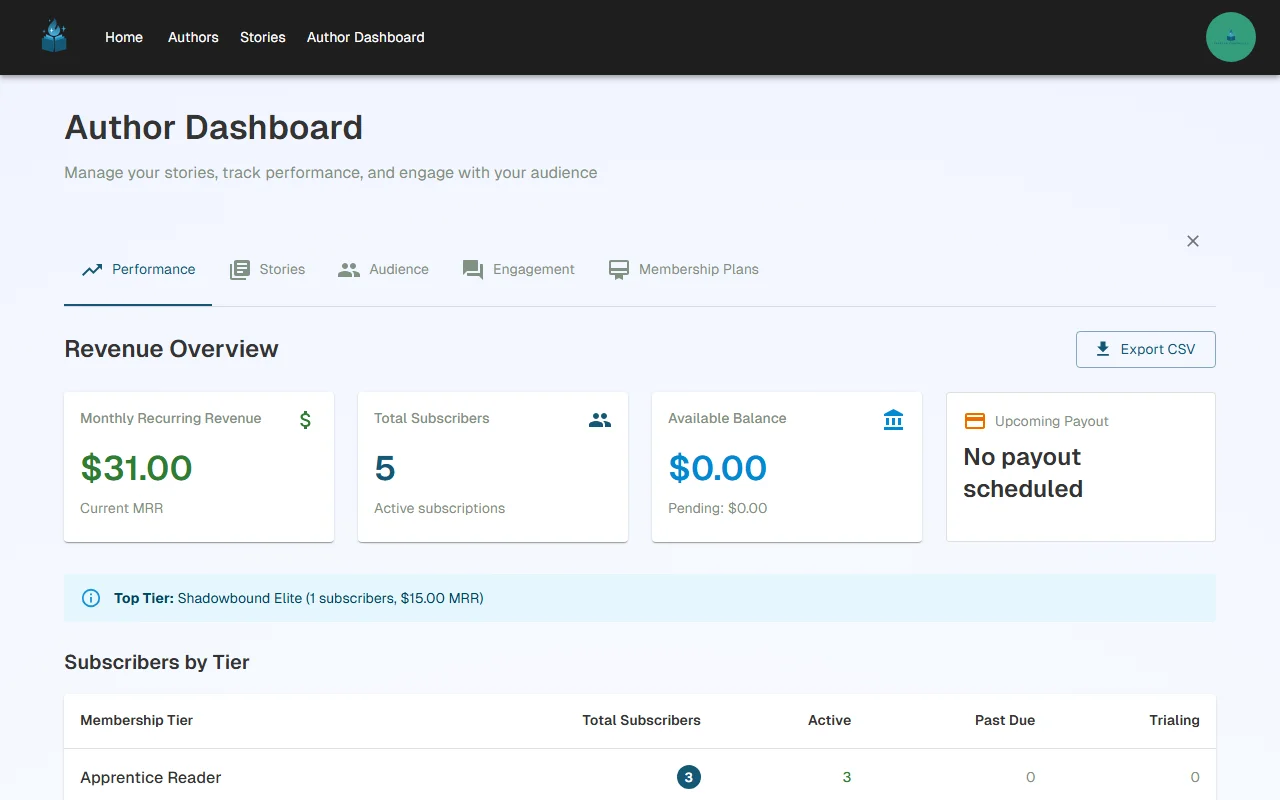
Once your Stripe account is verified, you're ready to receive subscription payments from readers.
Managing Your Payouts
After setup, you can manage your earnings from your account:
View Earnings
Navigate to Account > Payouts to see:
- Your current balance (available and pending)
- Payout history
- Upcoming payouts
Set Payout Schedule
Go to Account > Payouts > Schedule to configure how often you receive payouts:
- Weekly — Receive funds once per week (recommended)
- Monthly — Receive funds once per month
Tax Documents
Access Account > Documents & Taxes to:
- View and download tax documents (1099 forms)
- Verify your account information
- Update business details
Frequently Asked Questions
What countries are supported?
Stripe Connect is available in 40+ countries including the United States, Canada, United Kingdom, Australia, and most of the EU. You'll see the full list of supported countries during the author signup process.
Note: Brazil and India are not currently supported due to local payout regulations that require daily automatic payouts. We hope to add support for these countries in the future.
How long does verification take?
Most accounts are verified within minutes. In rare cases, Stripe may require additional documentation, which can take up to 48 hours.
What if my verification fails?
Stripe will tell you exactly what additional information is needed. Common issues include blurry ID photos or mismatched names. You can resubmit from the billing onboarding page.
When do I receive my first payout?
After your first subscriber payment is processed, funds become available according to your country's standard payout timeline (usually 2-7 business days for the first payout, then on your chosen schedule).
Are there any fees beyond the platform fee?
No additional fees are charged to you. The 6% + fixed fee (approximately ~$0.50 USD equivalent, set independently per currency) is the only deduction from your earnings. There are no monthly fees and no minimum payout amounts. All Stripe payment processing costs are covered by the platform.
What currency will I be paid in?
Your membership tiers are automatically priced in your local currency based on the country you selected during signup. For example, authors in Mexico charge in MXN and receive payouts in MXN, while authors in the US charge in USD. This means zero currency conversion fees for you — your subscribers' card issuers handle any conversion on their end.
This is a significant advantage over platforms like Patreon, which charge creators a 2.5% currency conversion fee when subscribers pay in a different currency.
Can subscribers from other countries subscribe to me?
Yes! Subscribers from anywhere in the world can subscribe to your tiers. They'll be charged in your local currency, and their bank or card issuer handles any currency conversion on their side. You always receive the full amount in your currency, minus only the platform fee.
What's Next?
- Create membership tiers and gate your chapters to start earning
- Understand your analytics to track revenue and subscriber growth
Have questions about billing or payouts? Reach out to us at support@chapterchronicles.com — we're here to help you succeed.
Ready to Start Publishing?
Join authors building their creative business on Chapter Chronicles. Free to start, simple pricing when you earn.
Sign Up Free