
Publishing Posts to Your Audience
Last updated: 2026-02-15
On This Page
Your newsfeed is your direct line to readers. Use it to announce new chapters, share behind-the-scenes updates, post exclusive content for subscribers, and build a community around your stories. Posts appear on your public author page and can optionally trigger email notifications to your followers and subscribers.
Your Author Page
Every author on Chapter Chronicles has a public profile page at app.chapterchronicles.com/authors/your-username. This is the hub where readers discover your work and follow your updates.
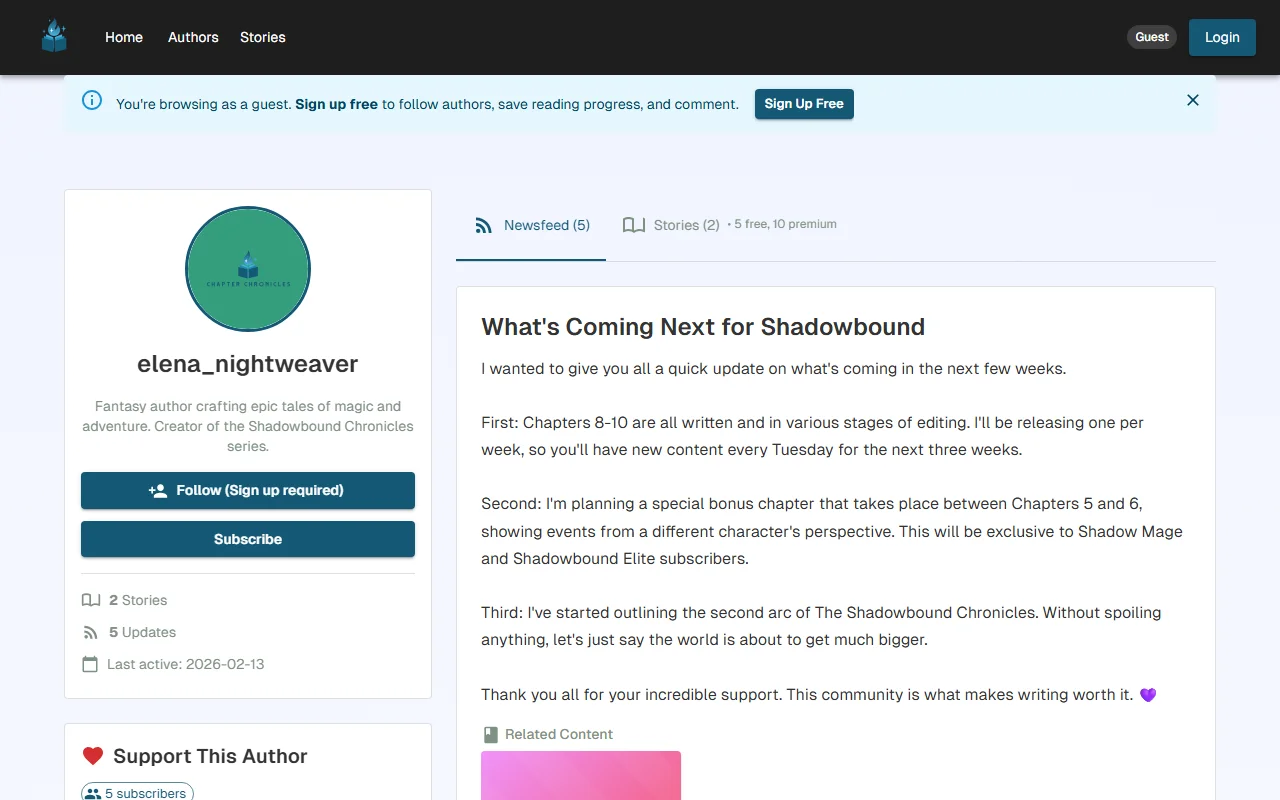
Your author page has two main tabs:
- Newsfeed — Your posts appear here in reverse chronological order. This is where readers come to see what's new
- Stories — A listing of all your published stories
The sidebar displays your profile at a glance:
- Avatar and bio — Your author identity
- Stats — Number of stories, total updates, and when you were last active
- Membership tiers — Readers can subscribe directly from your author page
Creating a New Post
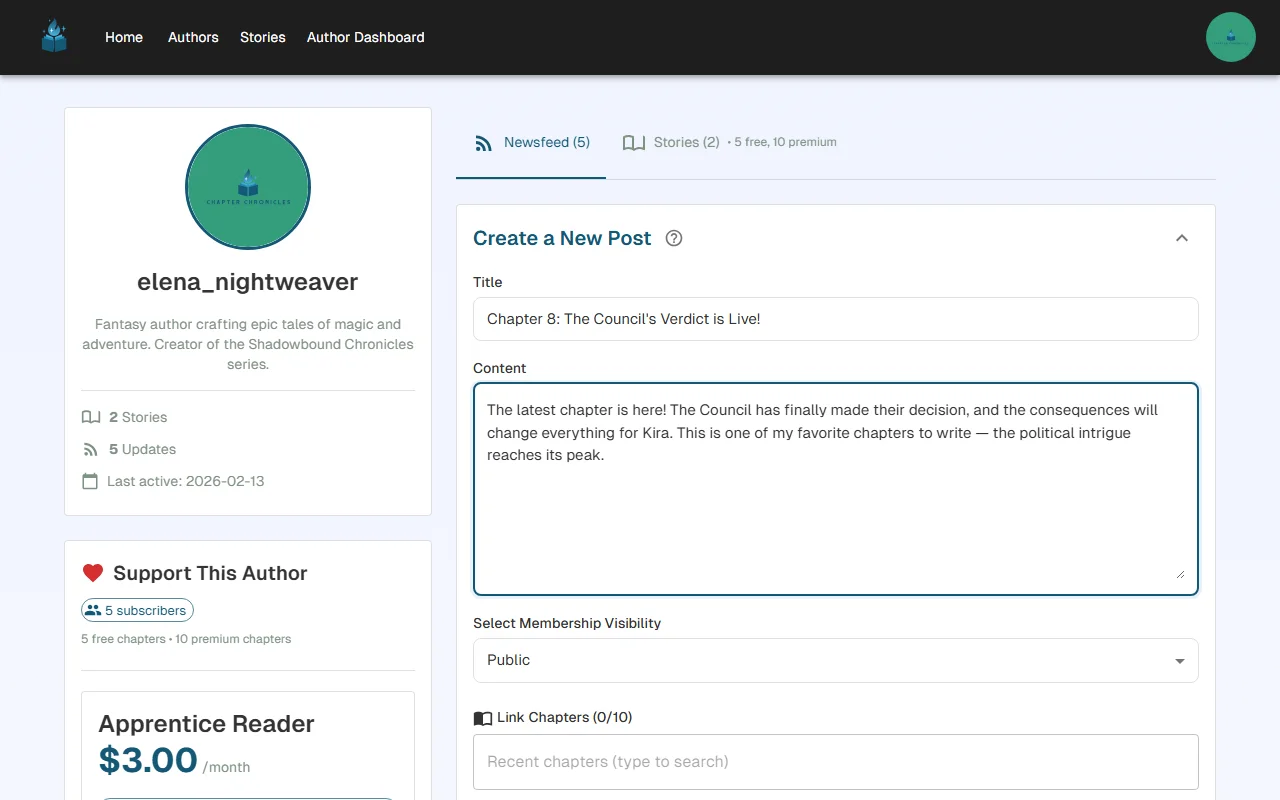
To create a post, visit your author page and click the "Create a New Post" button to expand the post creation form.
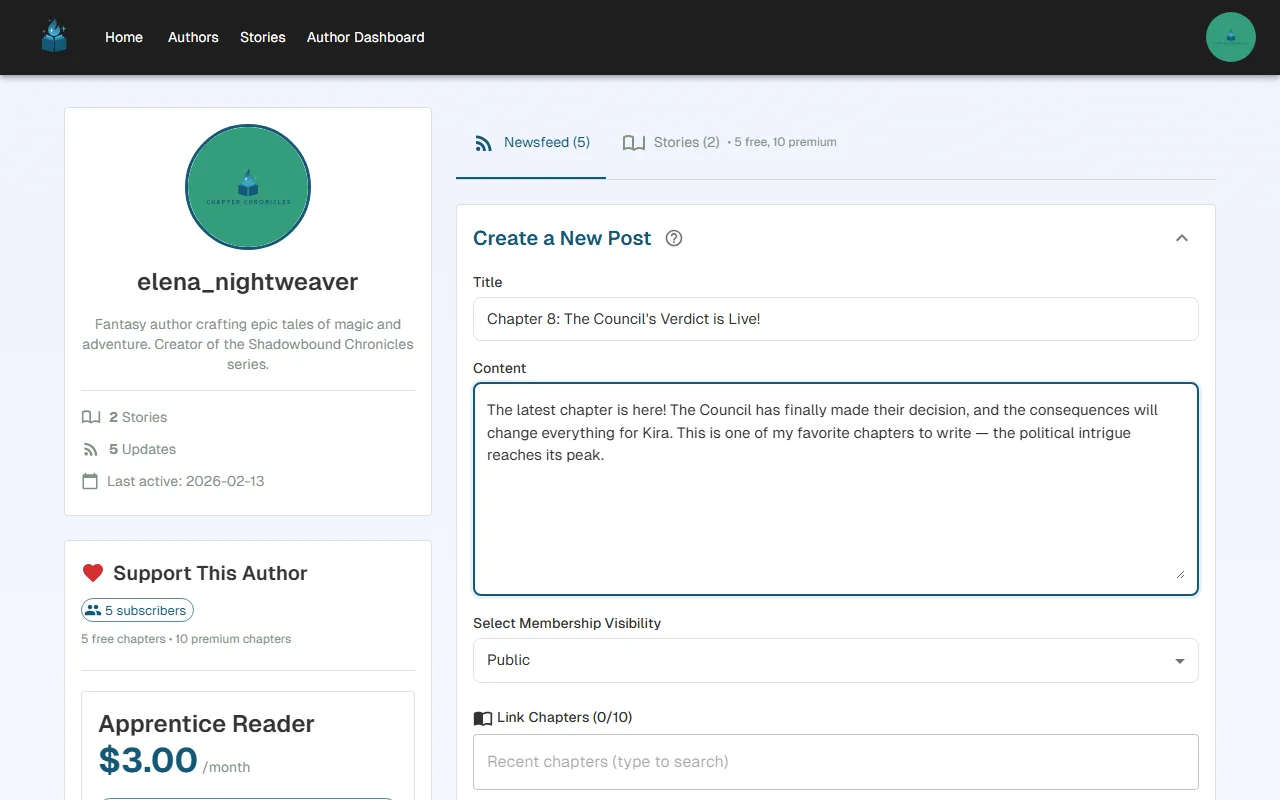
Fill in your post:
- Title — A clear, attention-grabbing headline. This is what readers see first in the newsfeed
- Content — The body of your post. Share updates, thoughts, teasers, or anything you want your audience to know
Tips for great posts:
- Announce new chapters with a brief teaser to build excitement
- Share your writing process or behind-the-scenes insights — readers love feeling connected to the author
- Keep posts focused and concise. A few compelling paragraphs are better than a wall of text
- Post consistently to keep your audience engaged
Linking to Your Content
One of the most powerful features of newsfeed posts is the ability to link stories and chapters directly to your post. Use the content picker to attach your work, and linked content appears as clickable cards within the post.
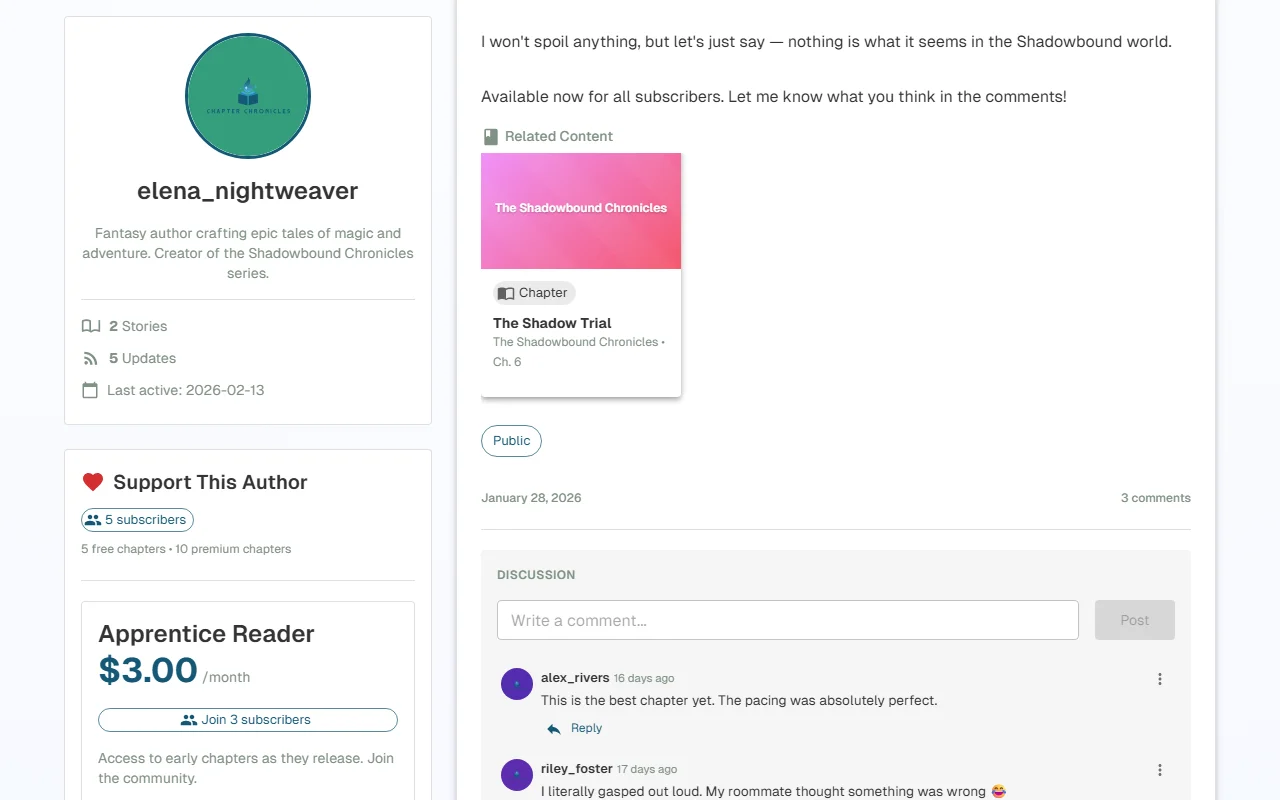
This is perfect for:
- Chapter announcements — "Chapter 6 is live!" with a direct link to the chapter
- Story promotions — Highlight a story you want more readers to discover
- Cross-promotion — Link between your different stories to drive readership across your catalog
Linked content cards show the title and context, making it easy for readers to click through and start reading immediately.
Controlling Post Visibility
Not every post needs to be public. You can gate posts behind specific membership tiers to reward your paying subscribers with exclusive content.
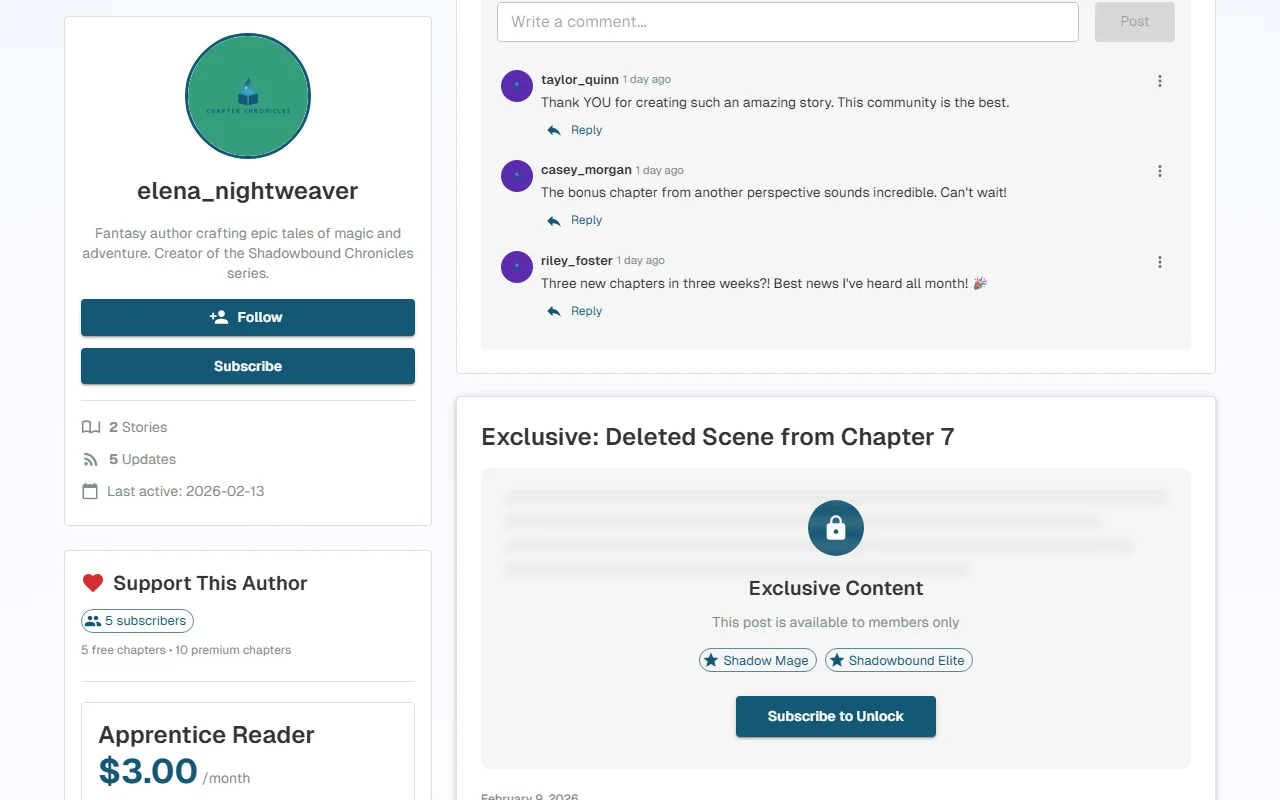
You have two visibility options:
- Public — Visible to everyone, including readers who aren't logged in. Great for announcements, teasers, and chapter releases
- Gated to specific tiers — Only subscribers of the selected tier(s) can see the full post. Non-subscribers see a teaser with a prompt to subscribe
When to gate a post:
- Sharing deleted scenes, alternate endings, or bonus content
- Posting early drafts or sneak peeks at upcoming chapters
- Writing personal author notes meant only for your most dedicated fans
- Sharing polls or exclusive updates for paying subscribers
Tip: Use a mix of public and gated posts. Public posts attract new readers, while gated posts give subscribers a reason to stay.
Email Notifications
When you create a post, you can choose to send an email notification to your audience. This is one of the most effective tools for driving readers back to your content.
How It Works
Who receives the email is determined by the Select Membership Visibility dropdown — the same control that gates the post itself:
- Public visibility — All followers and all subscribers receive the email. Following is free, so this reaches your widest audience
- Gated to specific tiers — Only subscribers at the selected tier(s) receive the email. Followers who are not subscribed do not receive it, since they wouldn't be able to see the gated content anyway
- Toggle on the email notification option before publishing your post
- The recipient count is shown before you send, so you know exactly how many people will be notified
Email Best Practices
- Don't send emails for every minor update — save notifications for new chapters and important announcements
- Write a compelling post title — it becomes the email subject line
- Include enough context in the post that readers understand the update even from their inbox
- Emails are sent in batches, so delivery may take a few minutes for large audiences
Engaging with Your Readers
Posts aren't just announcements — they're conversation starters. Readers can comment on your posts, and you can reply to build a genuine community around your work.
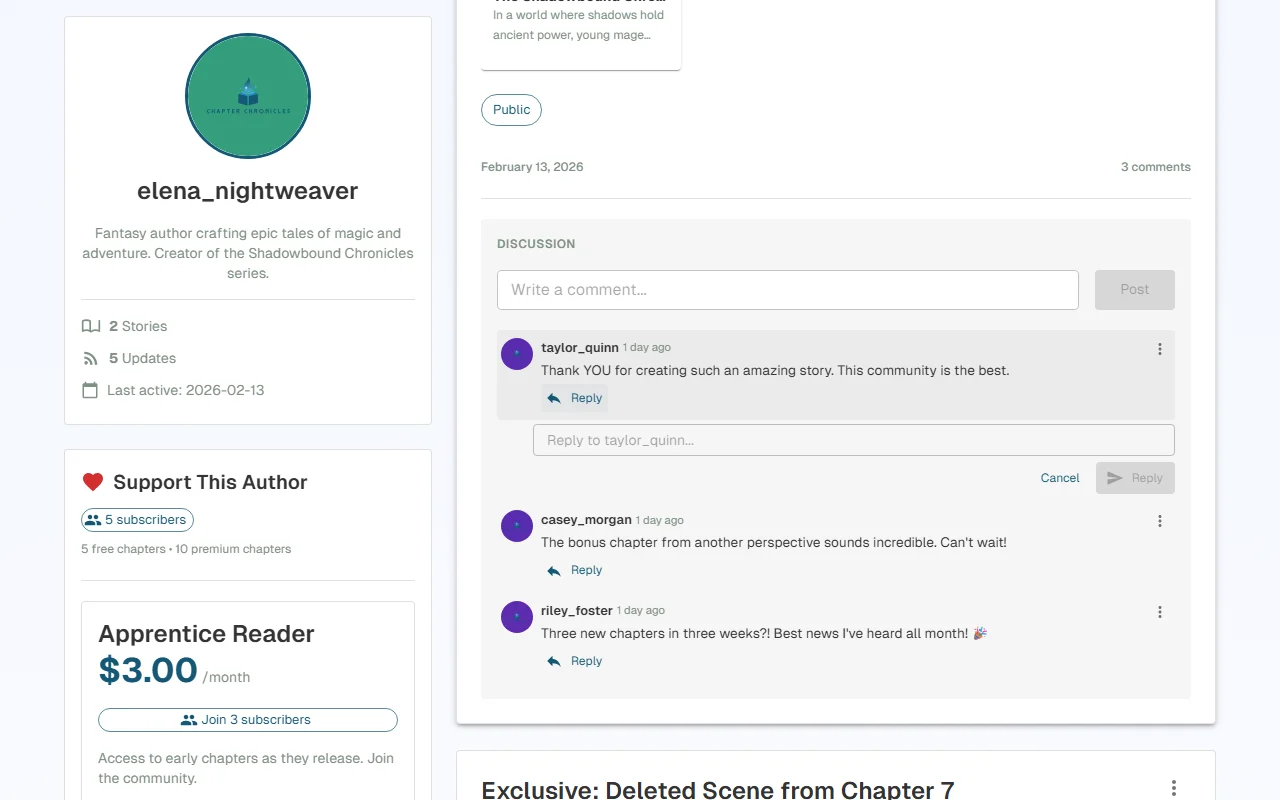
Building community through posts:
- Respond to reader comments to show you value their engagement
- Ask questions in your posts to encourage discussion ("Which character should I focus on next?")
- Acknowledge your subscribers by name in shoutout posts
- Use posts to share your creative journey — readers invest in authors, not just stories
Active engagement leads to higher retention, more word-of-mouth recommendations, and a loyal reader base that grows with every chapter you publish.
Coming Soon: Polls & More
We're building new interactive post types to help you engage with your audience even deeper:
- Polls — Ask your readers to vote on story directions, character names, or what content they want to see next
- More interactive formats — Stay tuned for additional post types designed specifically for serial fiction authors
We'll announce these features in our blog when they launch.
What's Next?
- Ready to earn money from your writing? Set up Stripe Connect for payouts
- Want to monetize your chapters? Create membership tiers and gate chapters
- Curious about your performance? Understand your story analytics
Have questions about posts or notifications? Reach out to us at support@chapterchronicles.com — we're here to help you succeed.
Ready to Start Publishing?
Join authors building their creative business on Chapter Chronicles. Free to start, simple pricing when you earn.
Sign Up Free